Multiple layers by CSS
Posted By : Deepak Insa | 29-Jun-2015
We can create Layered paper by CSS like:-
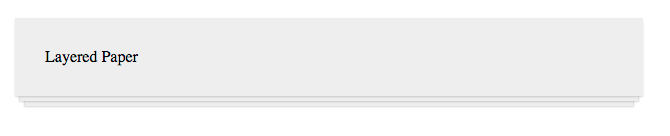
Usally we cut an image to create these kind of design. It create file heavy. To avoid to use an image for this kind of design, we have simple solution. we can create it by CSS3. CSS3 help to create light File.
To Create this type of layer paper we have to use CSS3's properties. These properties are:-
HTML
<div class="Multiple-layer">
    Layered Paper
</div>
CSS
.Multiple-layer {
    background: #eee;
    box-shadow:
        0 1px 1px rgba(0,0,0,0.15), /* The top layer shadow */
        0 10px 0 -5px #eee, /* The second layer */
        0 10px 1px -4px rgba(0,0,0,0.15), /* The second layer shadow */
        0 20px 0 -10px #eee, /* The third layer */
        0 20px 1px -9px rgba(0,0,0,0.15); /* The third layer shadow */

       padding: 30px;
}
Note: Please Use prefix -moz- and -webkit- to support mostly all browsers. And My be It not works in IE below 9.
THANKS


Cookies are important to the proper functioning of a site. To improve your experience, we use cookies to remember log-in details and provide secure log-in, collect statistics to optimize site functionality, and deliver content tailored to your interests. Click Agree and Proceed to accept cookies and go directly to the site or click on View Cookie Settings to see detailed descriptions of the types of cookies and choose whether to accept certain cookies while on the site.
















About Author
Deepak Insa
Deepak is an experienced UI developer with experience and capabilities to build compelling UIs for Web and Mobile Applications.