Using Appcelerator Cloud Serives Push Notification Part II
Posted By : Pawanpreet Singh | 31-Mar-2015
Welcome back...You must be ready with the things which I mentioned in my previous post, Let us recheck them
- you must created a iOS development certificate.
- Apple Id with push notification enabled. (must be same as your appId)
- Apple Push Notification certificate.
For client side code please refer to my previous post
Steps to generate of p12 file required to send push notification from acs server
- Double click and install the Apple Push Notification certificate which you generated through Apple developer portal, it will add it to the keychain.
- Open Keychain access (you can do this by hitting spacebar while holding command it will open search area on the screen and here you have to type keychain…. , while typing this it will show you example of keychain access just hit enter).
- In Keychain access select certificates from the left menu and in the main area right click your recently added certificate and export it as p12 file(save this in a safe place ….. bcoz we need this).
Let'z do Server Side Thingz
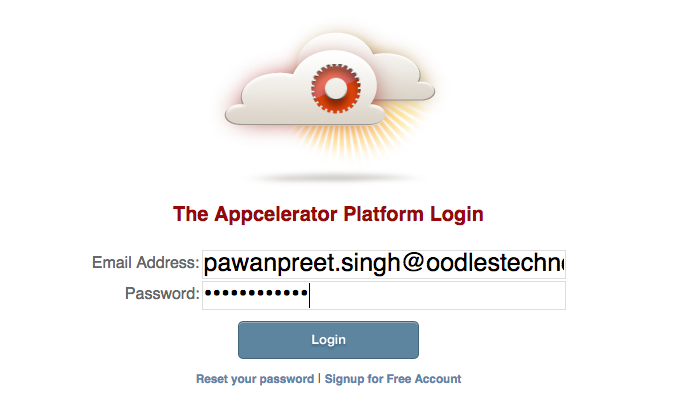
- Login at Appcelerator Platform Portal
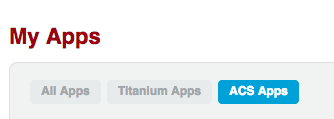
- Select acs apps and find your app name then click on manage acs as shown in the figures below:

- make sure development is selected and then move in the settings tab and add your p12 file here, and enter its password you entered while exporting this to p12

Let'z Send a Notification
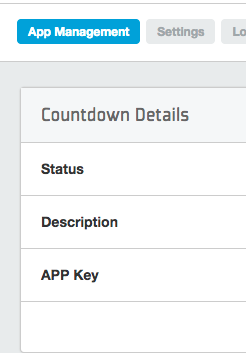
- Add your acs app key in your mobile app, you can find this key in the location as shown in figure below
- Open your app, It will register your current device with acs push notification
- you must be sure development tab is selected

- Select Push Notifications tab

- enter some text in Alert Text field and press the send push notification button.
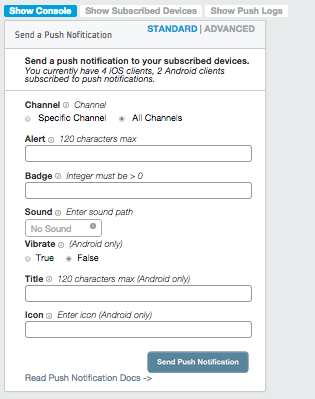
This will popup a push notification on your mobile device, Thats all folks.
THANKS


Cookies are important to the proper functioning of a site. To improve your experience, we use cookies to remember log-in details and provide secure log-in, collect statistics to optimize site functionality, and deliver content tailored to your interests. Click Agree and Proceed to accept cookies and go directly to the site or click on View Cookie Settings to see detailed descriptions of the types of cookies and choose whether to accept certain cookies while on the site.
















About Author
Pawanpreet Singh
Pawanpreet is an seasoned Project Manager with a wealth of knowledge in software development, specializing in frontend and mobile applications. He possesses a strong command of project management tools, including Jira, Trello, and others. With a proven track record, he has successfully overseen the delivery of multiple software development projects, managing budgets and large teams. Notable projects he has contributed to include TimeForge, Yogyata, Kairos, Veto, Inspirien App, and more. Pawanpreet excels in developing and maintaining project plans, schedules, and budgets, ensuring timely delivery while staying within allocated resources. He collaborates closely with clients to define project scope and requirements, establish timelines and milestones, and effectively manage expectations. Regular project status meetings are conducted by him, providing clients and stakeholders with consistent updates on project progress, risks, and issues. Additionally, he coaches and mentors project leads, offering guidance on project management best practices and supporting their professional development.