Step By Step Guide To Installation of SOAPUI
Posted By : Sandeep Rathor | 11-Apr-2017
As we know about the SOAP protocol how it will extend the HTTP for XML Messanging and use to exchange the data between two computers.
Now today we will see how to download, install and configure the SOAPUI tool. There are some need of requirment of Hardaware and Software Requirment to download the SOAPUI tool. To make you more clear over this topic i will use the images.
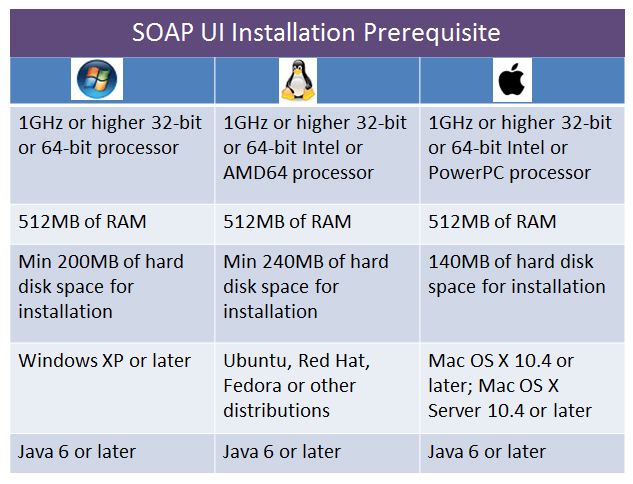
As i am working on Windows OS. So, i will tell you installation process according to the Windows and to make you more clear i will use the Image
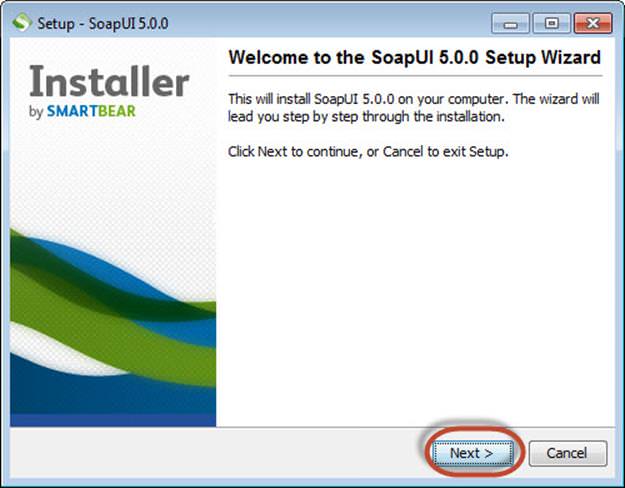
First step is Downloading So for downloading you need to go to http://www.soapui.org/ after click on this link it will show you downloader based on your system. After downloading the SOAP UI according to your OS, then the next step is Installation open the Administrator and click on Next button
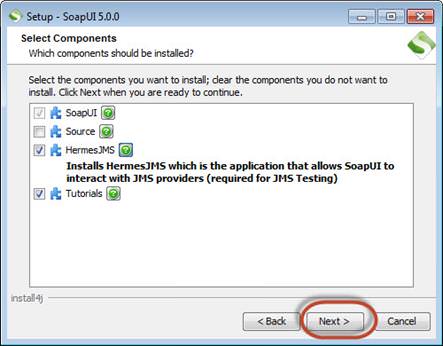
And accept the Terms and codition according your OS.After completing this you nbeed to choose the component that you wish to install.
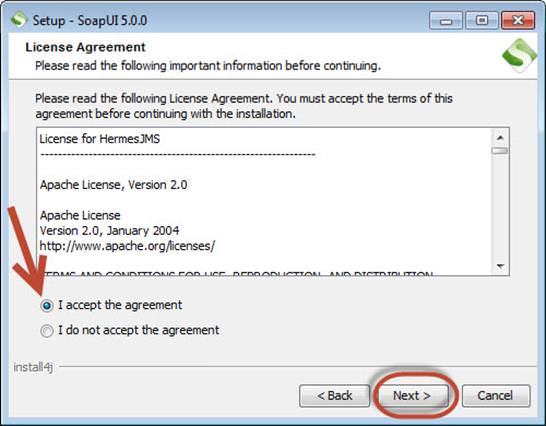
If 'Hermes JMS' is selected then you have to click on the License and Agreement like below image
After that choose the folder you wish to install in your local drive and completeing this click on Finish button
In below image please find the meaning of these terms
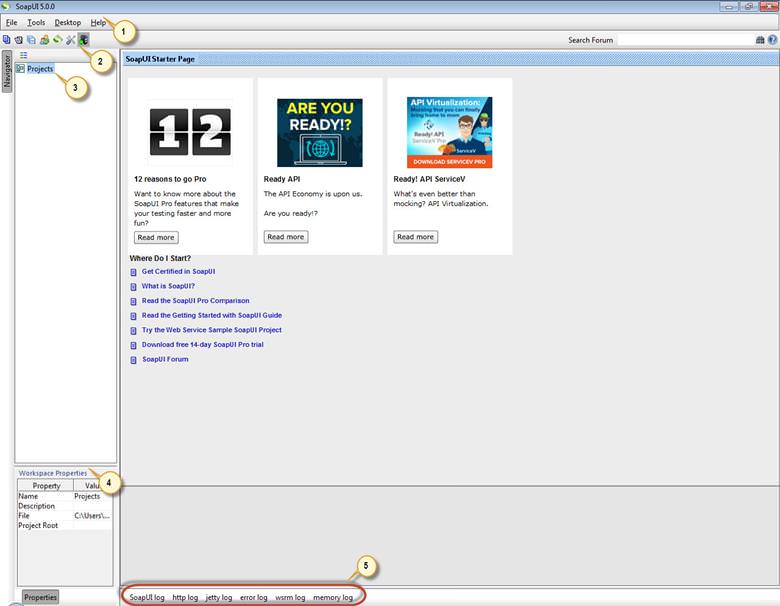
- Menu Bar
- Quick access toolbar
- Project Navigation Area
- Workspace Properties
- Log area
Now For configuration i am just showing you a workspace i.e. how this tool work
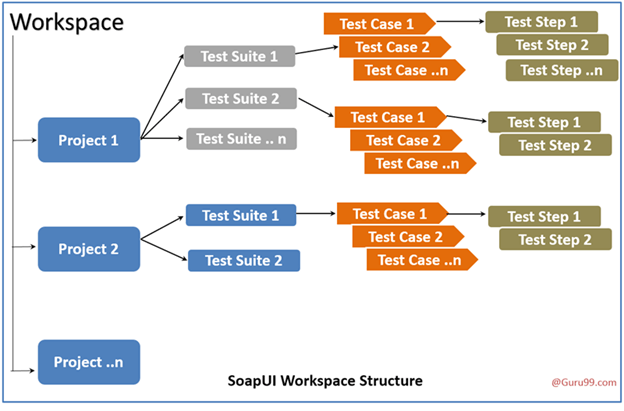
So, this blog is all about the basic Installation of SOAPUI tool.
THANKS


Cookies are important to the proper functioning of a site. To improve your experience, we use cookies to remember log-in details and provide secure log-in, collect statistics to optimize site functionality, and deliver content tailored to your interests. Click Agree and Proceed to accept cookies and go directly to the site or click on View Cookie Settings to see detailed descriptions of the types of cookies and choose whether to accept certain cookies while on the site.















About Author
Sandeep Rathor
Sandeep is an experienced QA Engineer with skills in Manual testing, Automation Testing and Performance Testing over both Mobile and Web Application