Live Video Stream with WebRTC
Posted By : Piyush Mishra | 30-Jun-2022
What is live Streaming??
Streaming is the method of watching the video and online transmission used to watch digital content. many users on the internet manage a large number of online videos and other live channels nowadays a large number of channels in the live programs by transmitting a fesecondsnd and seconds of file at a time over the internet that client devices do not have to download that file but the video starts playing without downloading the file.
live streaming is when the streaming video is transferred through the internet in actual time, without being the first recorded and stored on the device. today TV broadcasts, video game streams, social media videos, and many other videos over the internet can all be live-streamed.

Our Agenda:- Broadcast Live Video Stream with WebRTC to Ant Media Server
let me talk step by step process to make webRTC stream through Ant Media Server
1. WebRTC publishing is available in both the CE Community Edition and EE Enterprise Edition. to publish with WebRTC on a server you need to set up SSL on your server.
2. If you want to learn how to install SSL to your Ant Media Server
Please follow the steps:-
3. Visit https://example:5443/WebRTCAppEE in Enterprise Edition, if you are running Ant-media Server on your local computer, you can also visit http://localhost:5080?WebRTCAppEE in (EE)
4. Write StreamID and then press the start to publish the stream. after you press the button. you will see publishing text appear also you can see the WebRTC publisher page.
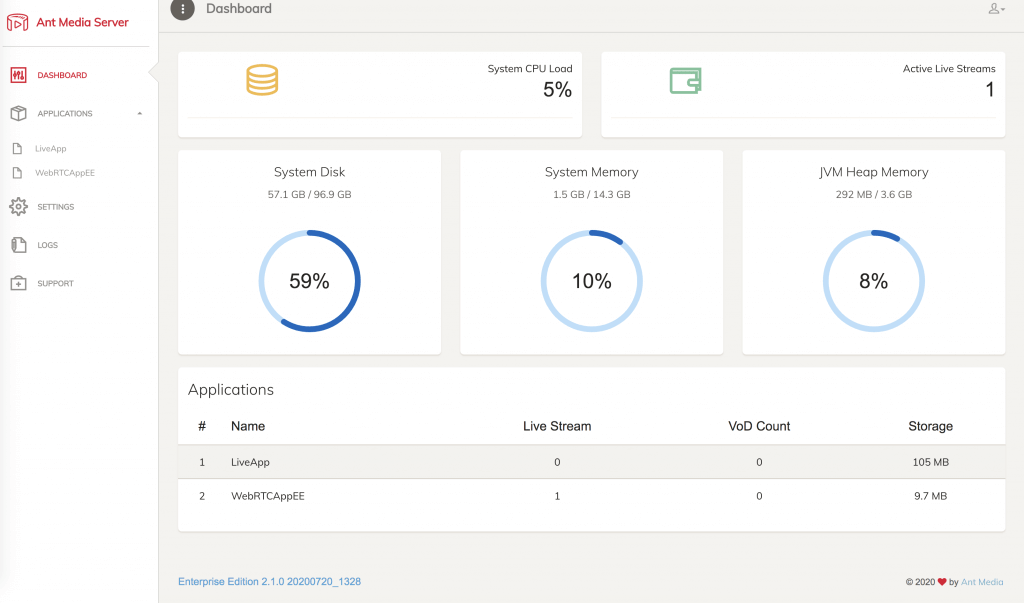
Right now you are broadcasting to the Ant-Media server and it is time to watch our live stream.
Watch Live Video Stream with the DASH
Ant-Media server supports CMAF packaging with DASH. you can enable DASH muxing by changing the following in the app properties file web apps/{APP}/WEB-INF/red5-web.properties
Setting.dashMuxingEnabled=true
PS: please make sure you are restarting the Ant-Media server after making the changes on the red5-web.properties.file...
Bonus You can now watch the dash stream with ffplay vlc obc etc with the command below.
ffplay http://localhost:5080/WebRTCApp/streams/streamexample.mpd
Thanks


Cookies are important to the proper functioning of a site. To improve your experience, we use cookies to remember log-in details and provide secure log-in, collect statistics to optimize site functionality, and deliver content tailored to your interests. Click Agree and Proceed to accept cookies and go directly to the site or click on View Cookie Settings to see detailed descriptions of the types of cookies and choose whether to accept certain cookies while on the site.















About Author
Piyush Mishra
Piyush Mishra is a skilled Backend Developer with over 3+ years of experience in the industry. He has an in-depth understanding of the latest technologies and practical experience in working with various tools and frameworks such as PHP, Laravel Framework, Wordpress CMS, Nodejs, Apache, Javascript, Jquery, and databases. He possesses a creative mindset and strong analytical skills that allow him to think critically and explore new technologies with ease.He has worked on several noteworthy projects, including NCG Television, INW (I Need a Word), and StreamlyTV. For NCG Television, he created the backend of an OTT platform with a subscription-based model using Wordpress. For INW, he developed an OTT platform with live streaming, podcast features, and stories functionality using Wordpress, Vimeo, and Nodejs on the backend. For StreamlyTV, he developed a channel live streaming platform using Laravel, Wowza Streaming Engine, AWS, and Stripe payment gateway on the backend.