Domain Blocking On Pfsense
Posted By : Shailendra Singh Rathod | 28-Dec-2017
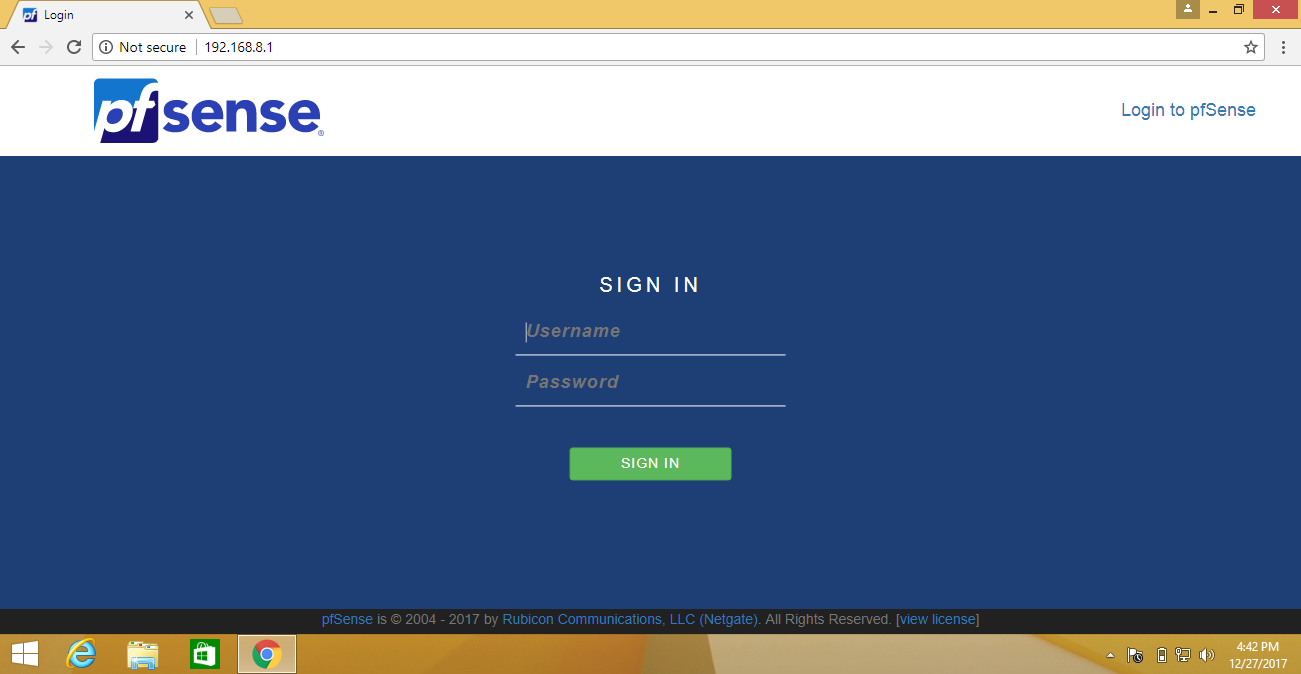
First, log in
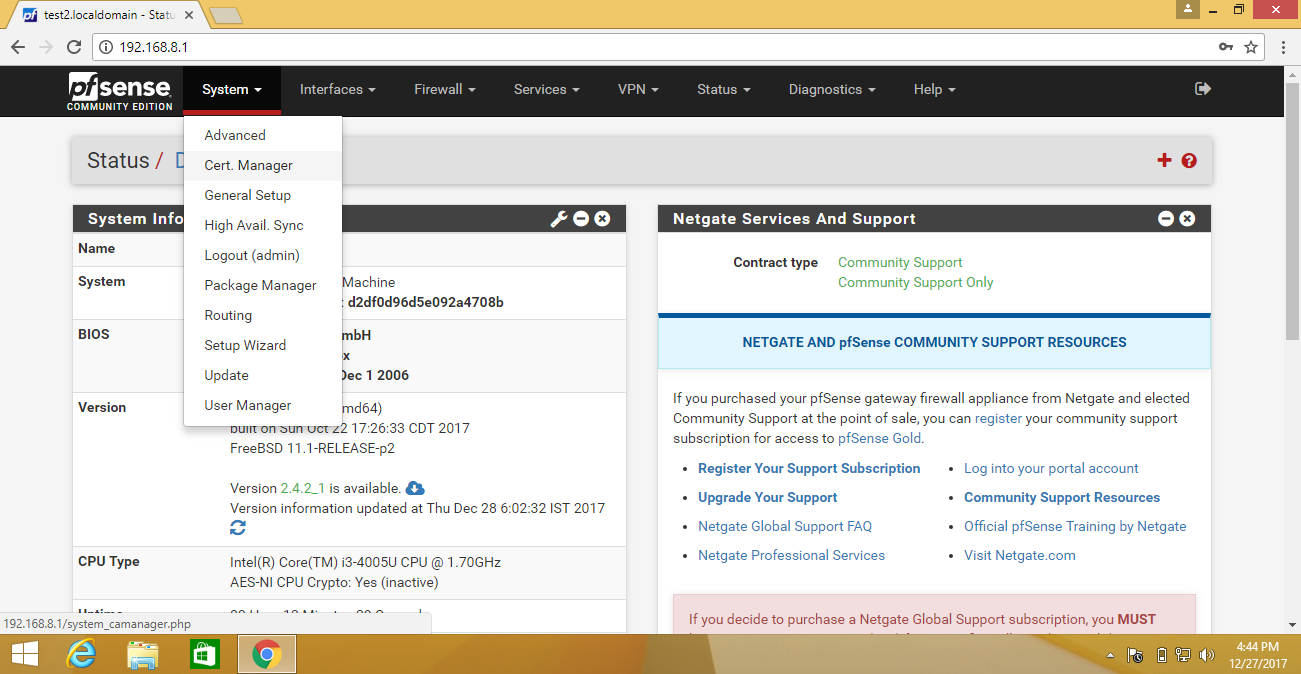
Then click System->Certificate Manager->CAs
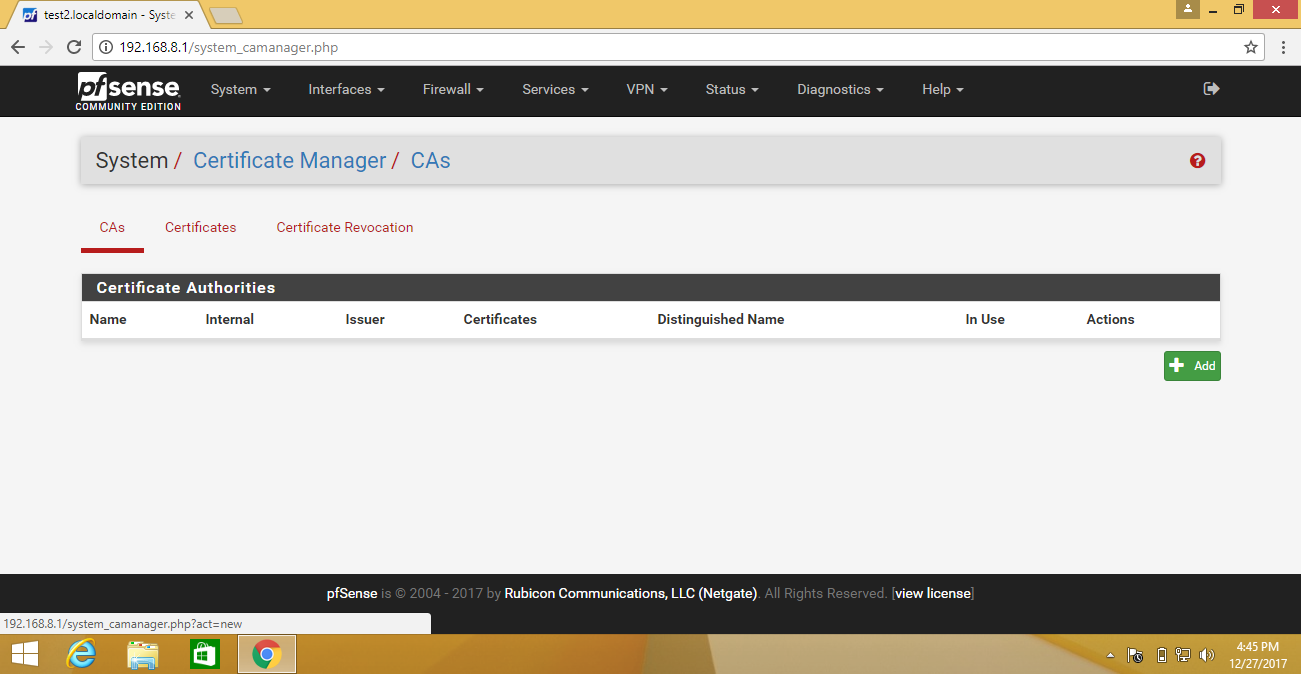
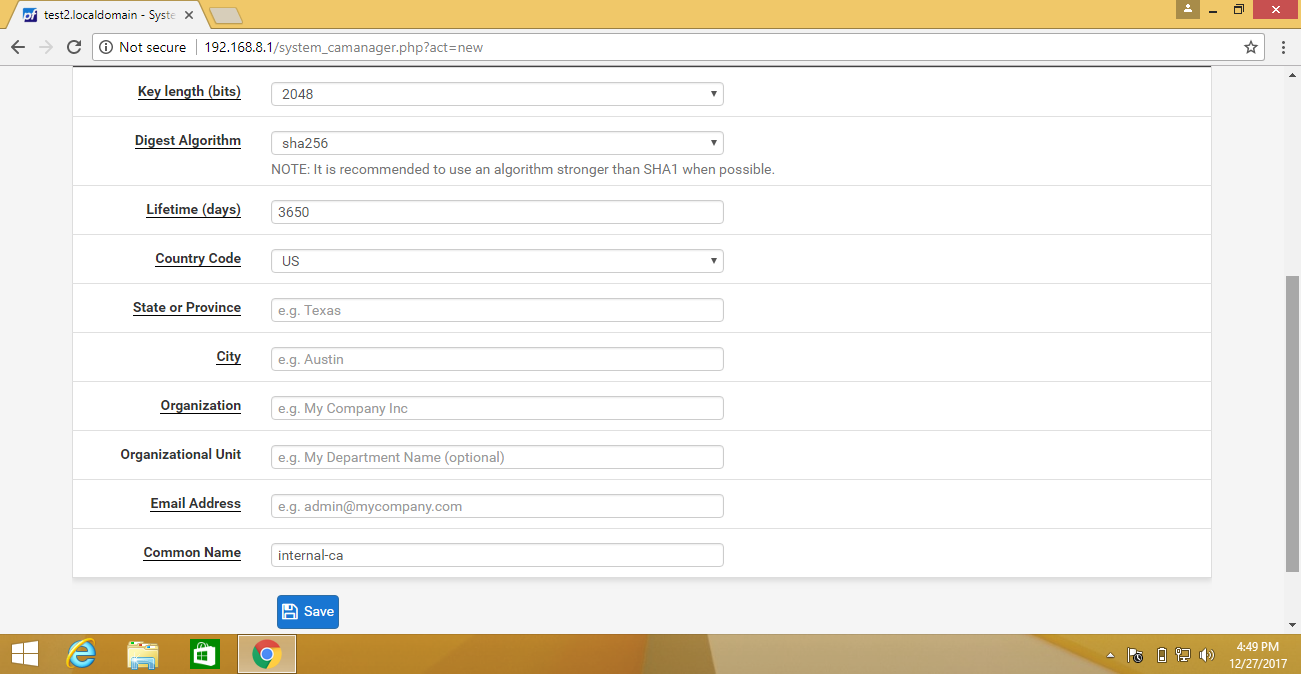
First, add a new CA click on add tab
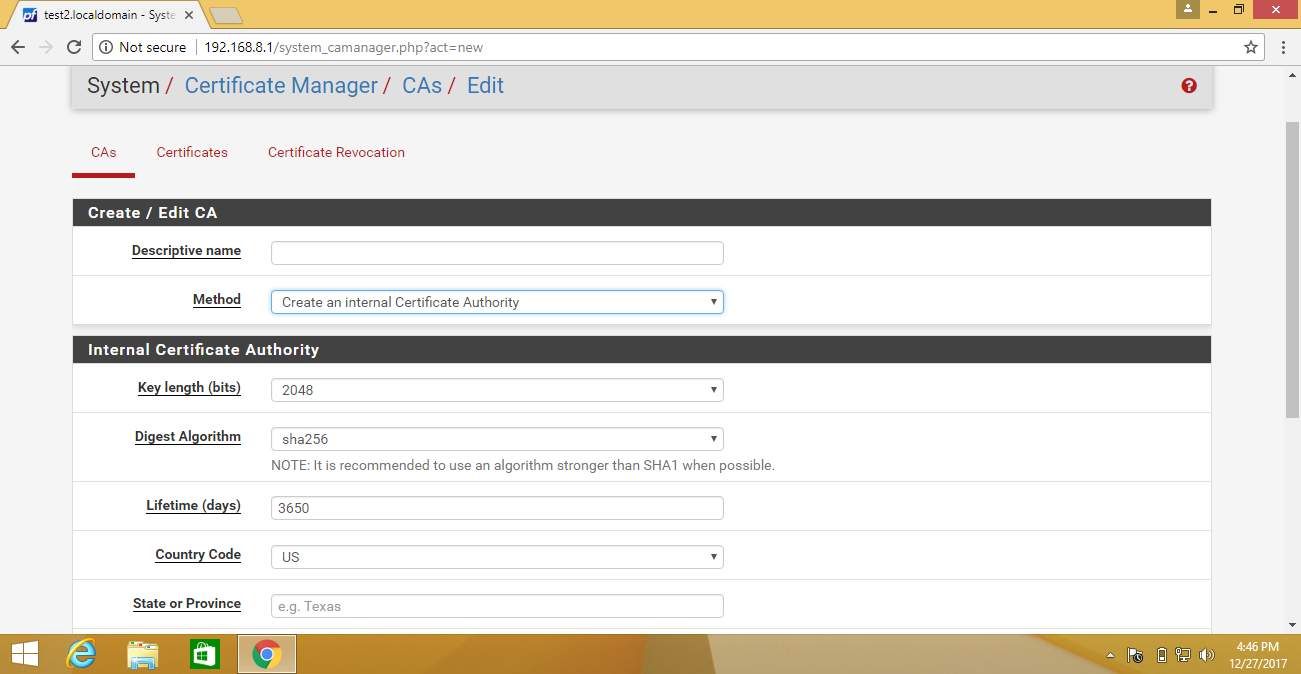
A new window open
Type Descriptive Name, Method, Key Length, Digest Algorithm, Lifetime, Country Code, State/Province, City, Organization, Organizational Unit (Which is optional), E-mail and Common Name.
And click on save.
Then click on System->Package Manager-> Available Packages
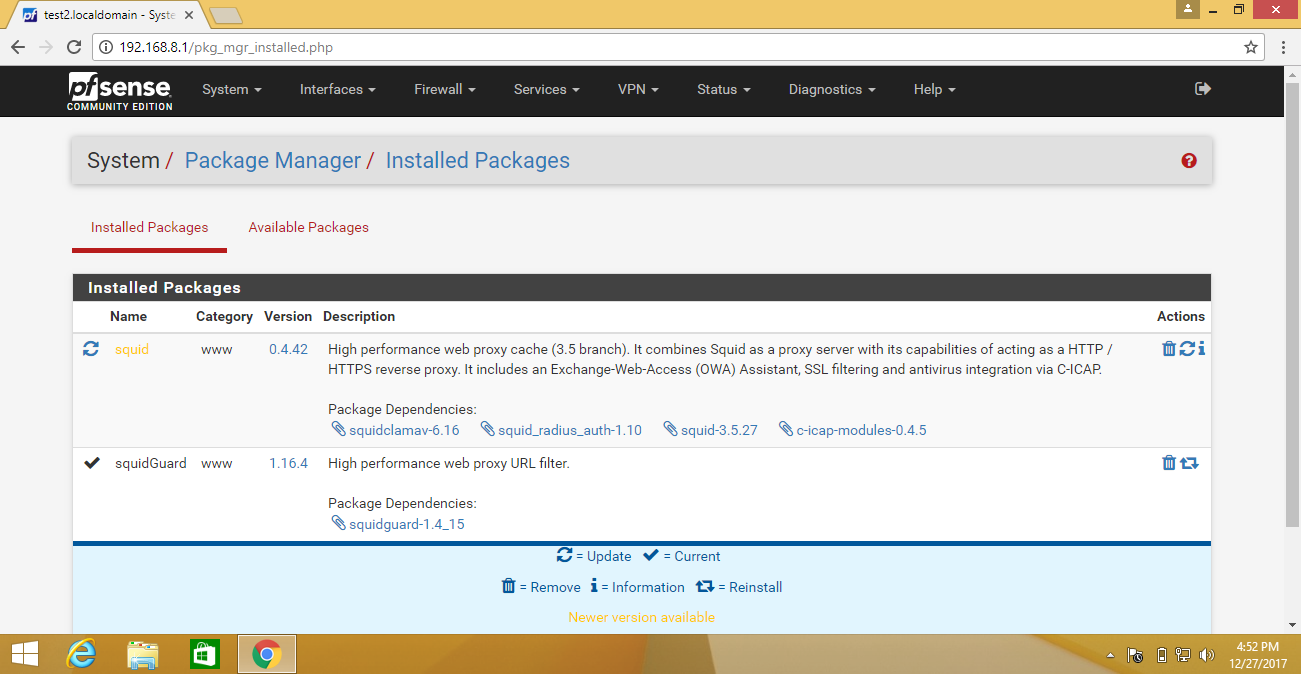
Search squid and squidGuard packages and click the install button and please wait while the installation of
This may take several minutes. Do not leave and refresh the page
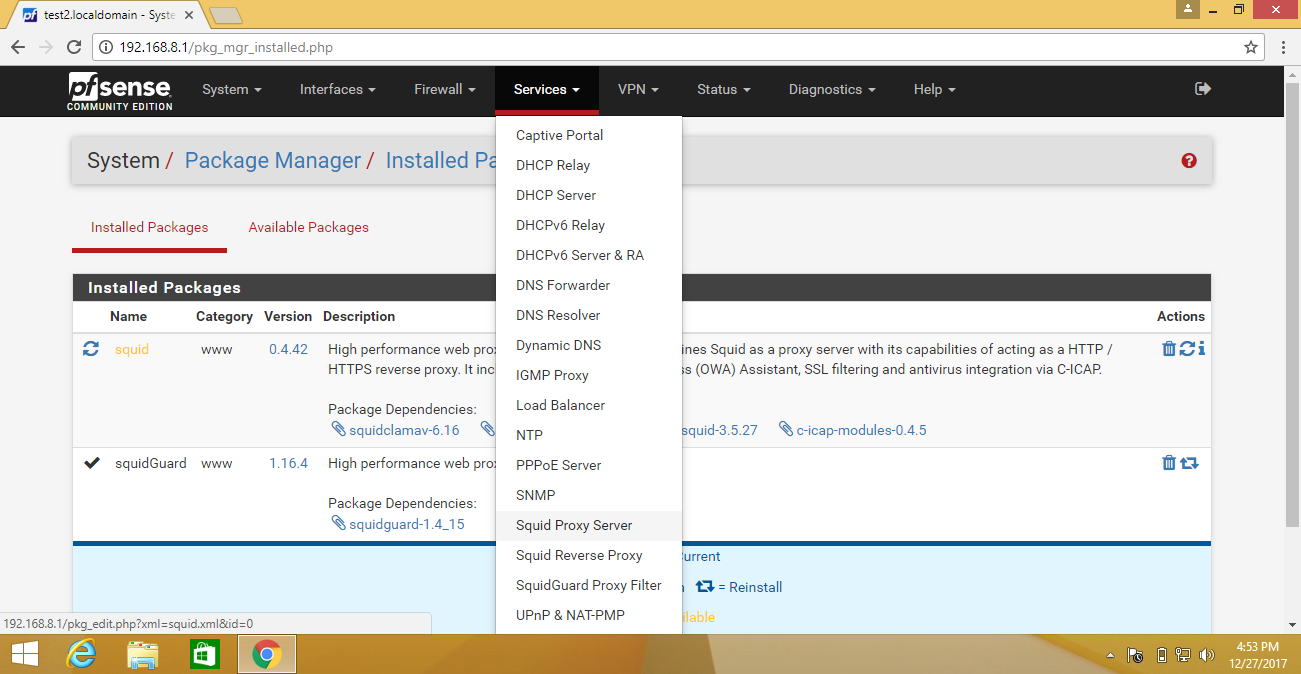
Now click on Services-> Squid Proxy Server
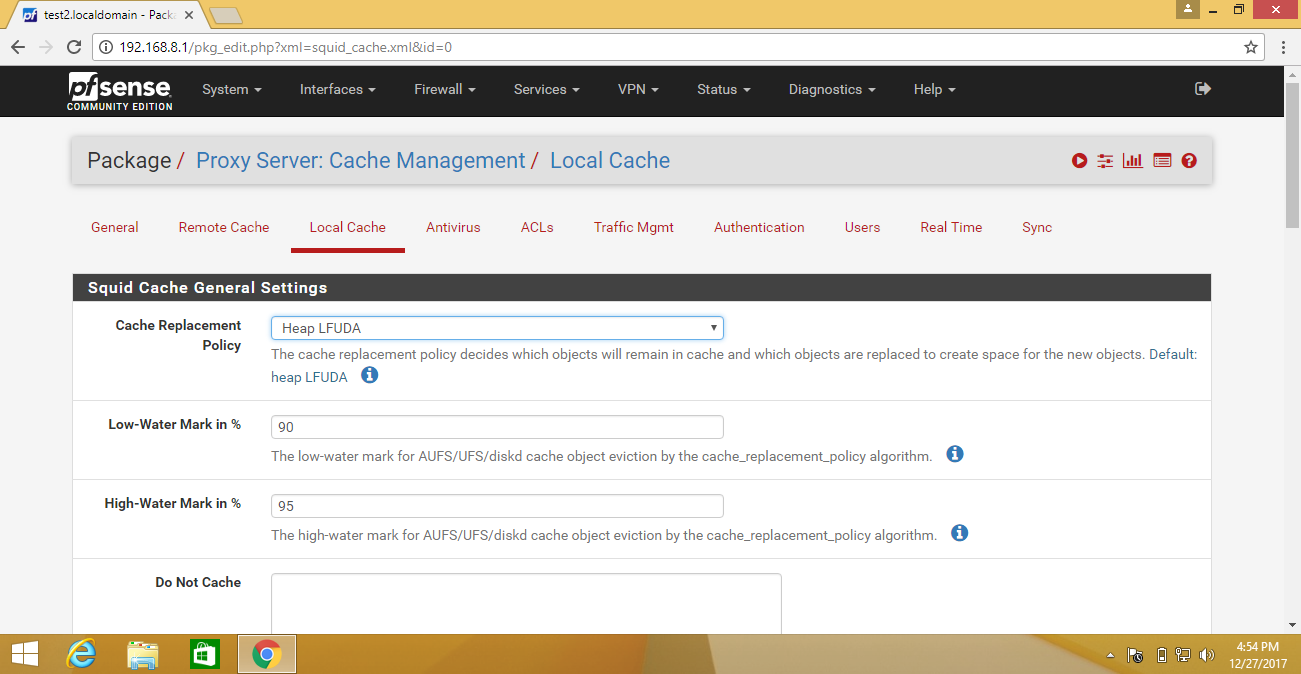
Then first configure Local Cache
Here you can increase Hard Disk Cache Size (Which is Default 100MB) in Squid Hard Disk Cache Settings
And click on save.
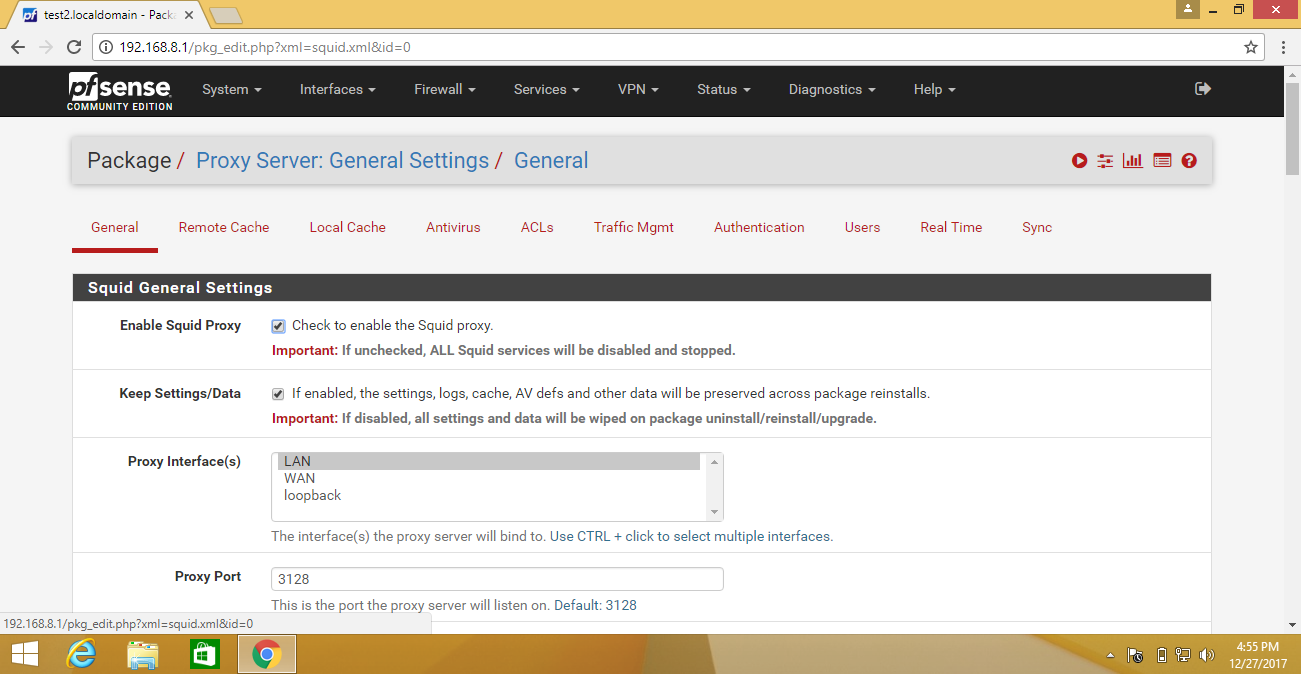
Now go to Package/Proxy Server: General Settings/ General
Check to enable the Squid proxy.
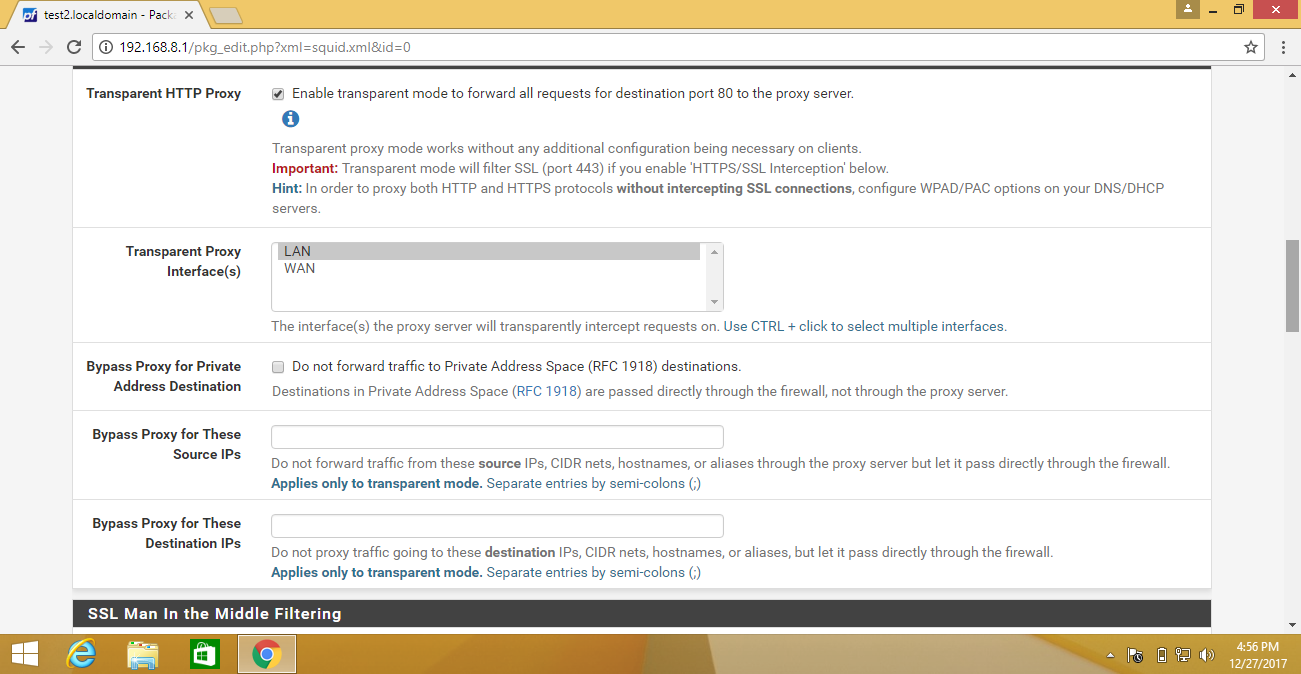
Now Enable transparent mode to forward all requests for destination port 80 to the proxy server in Transparent Proxy Settings.
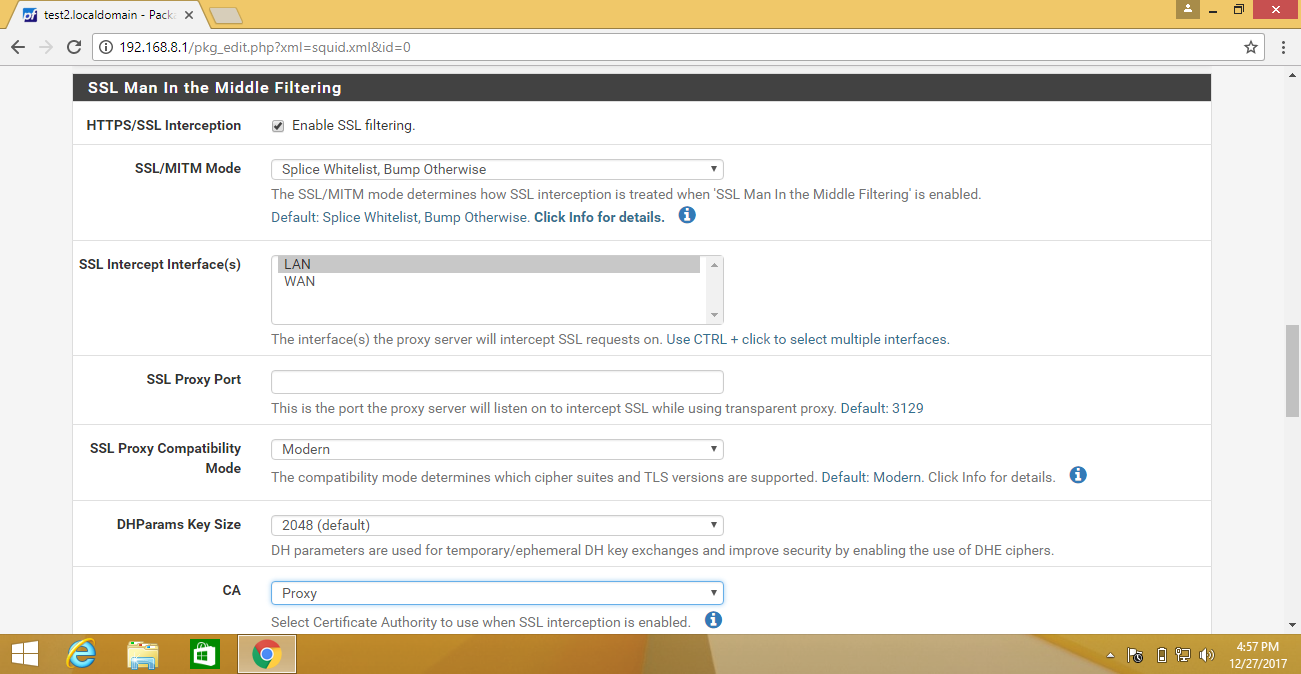
Then Enable SSL filtering in SSL Man In the Middle Filtering.
And select Certificate Authority to use when SSL interception is enabled.
Select Accept remote server certificate with errors in Remote Cert Checks.
Now select Sets the “Not After” (Set Valid After)and Sets the “Not Before” (Set Valid Before) in Certificate Adapt
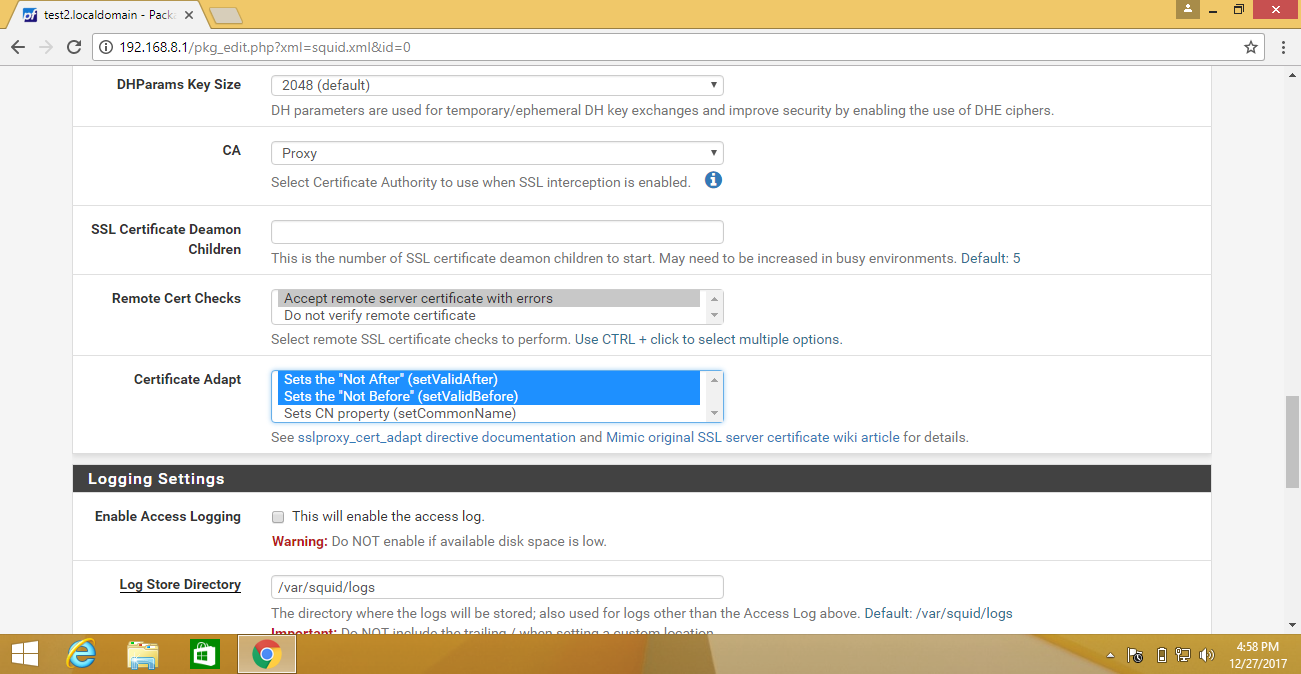
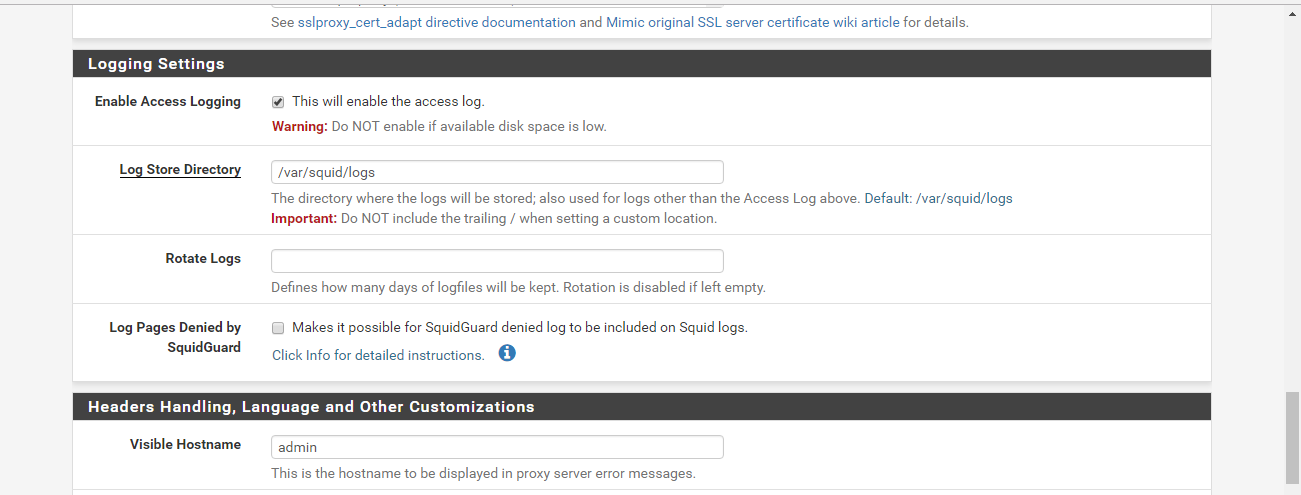
Then Enable Access Logging in Logging Settings
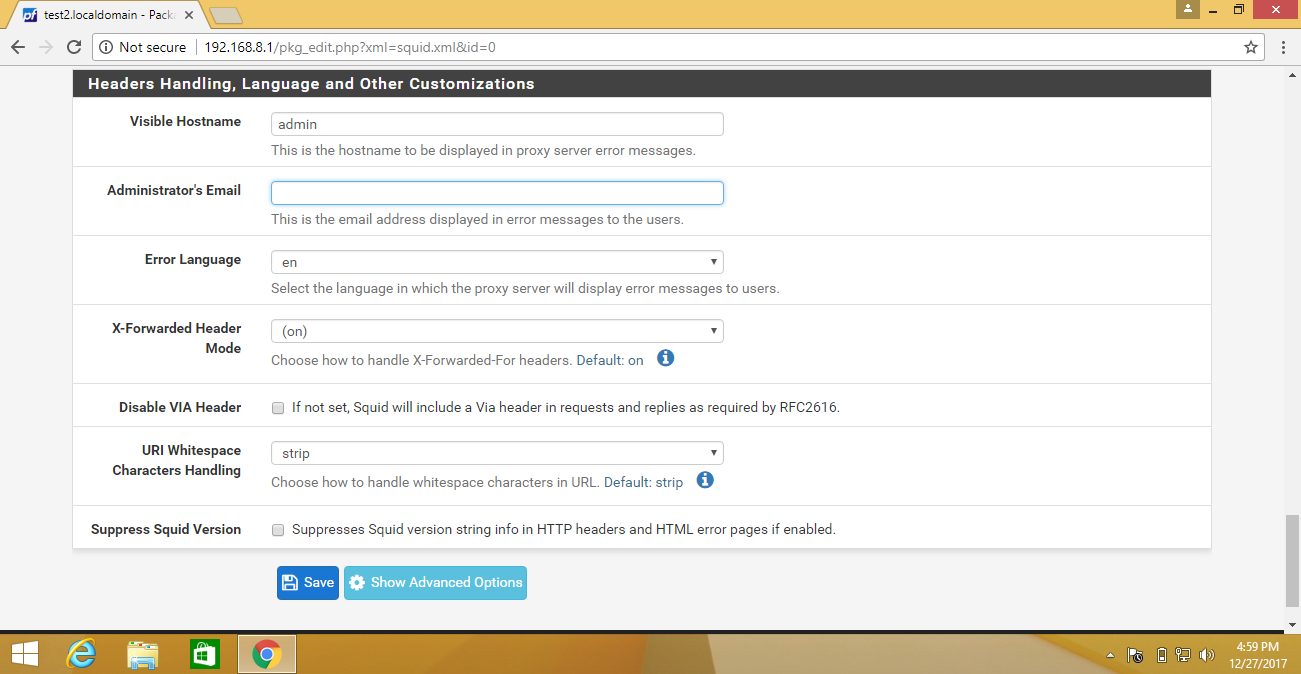
Now Type Visible Hostname and Administrator's Email in Headers Handling, Language, and Other Customizations
And save
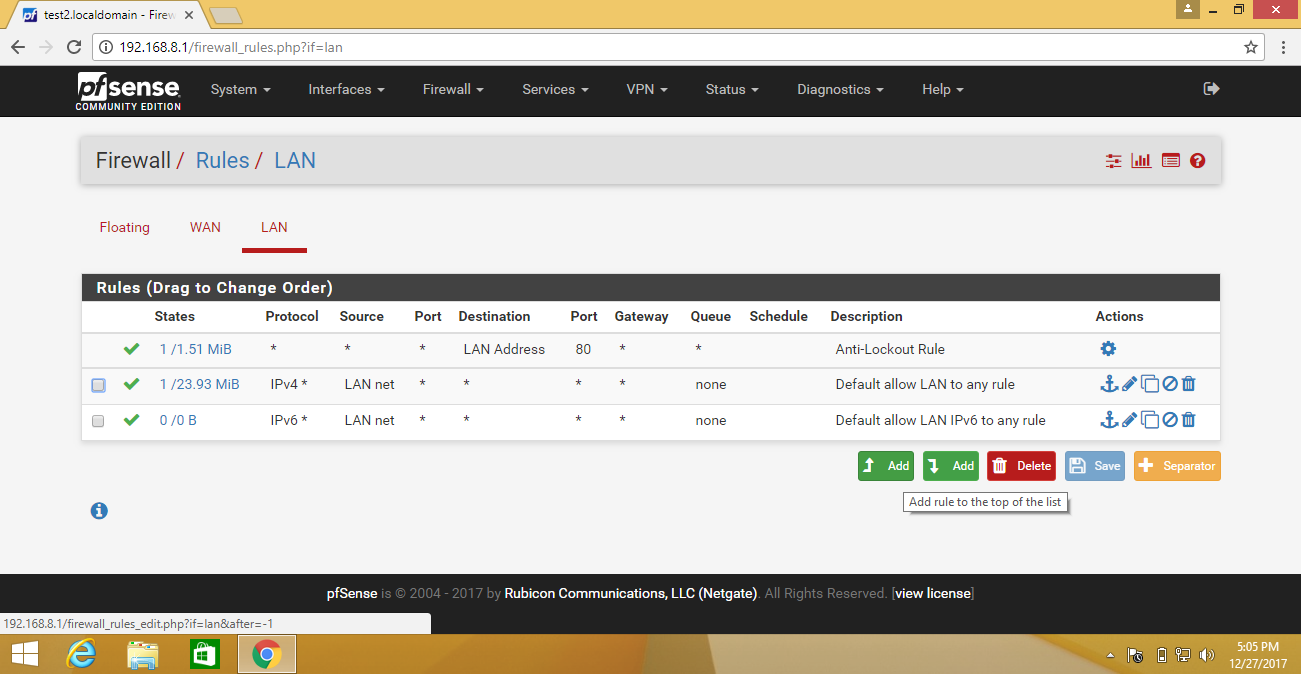
Now click on Firewall/Rules/LAN
And create new rule so click on add
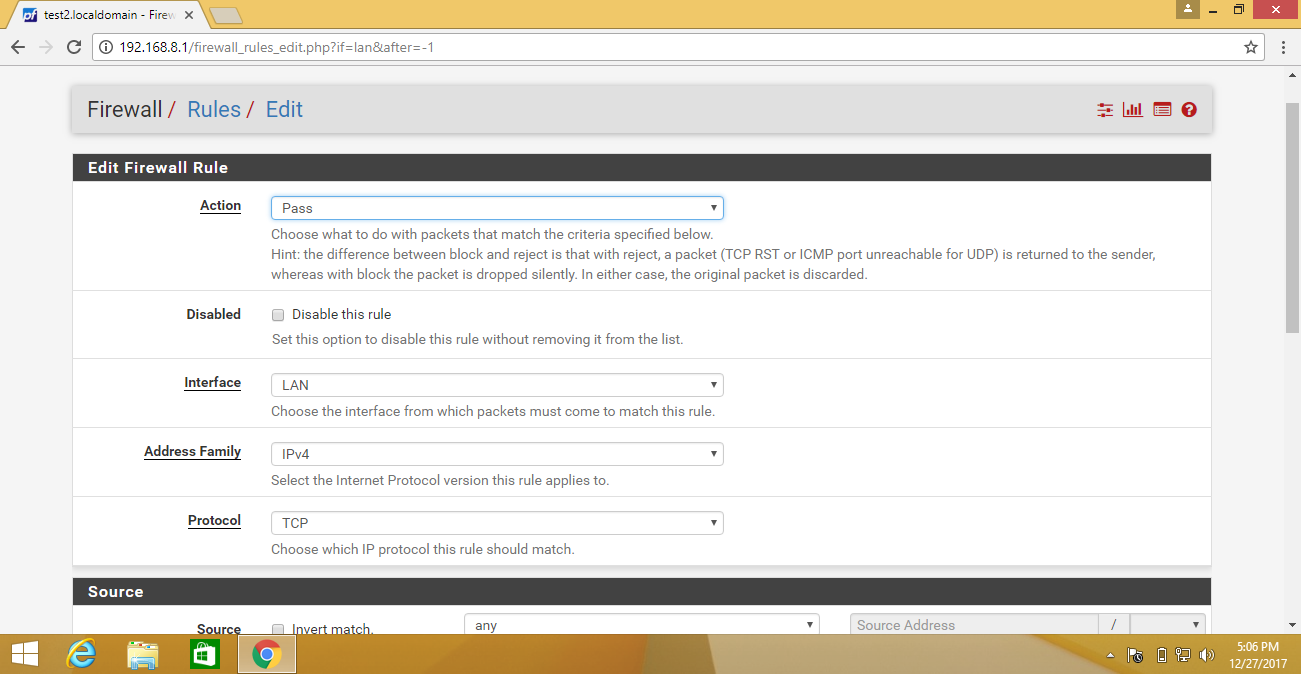
A new Tab open.
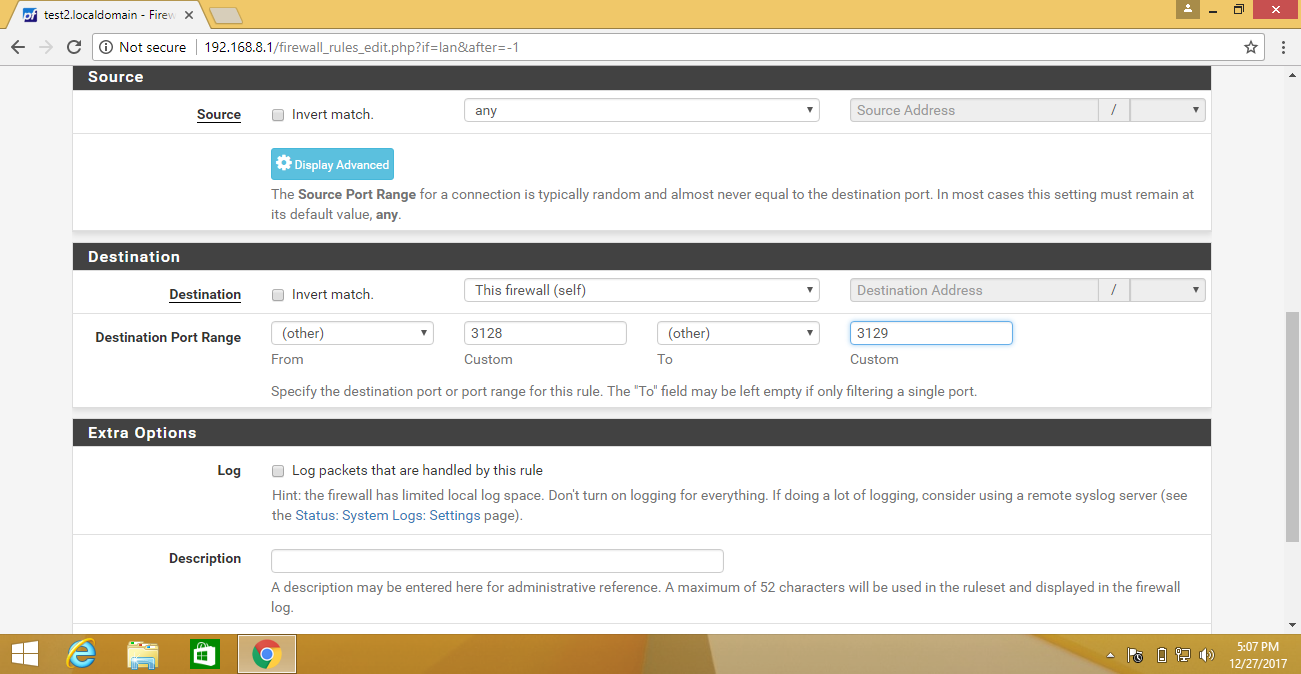
Now type firewall(self) in Destination and type 3128 and 3129 in Destination Port Range.
Then save and apply changes.
Now click on Services-> SquidGuard Proxy Filter
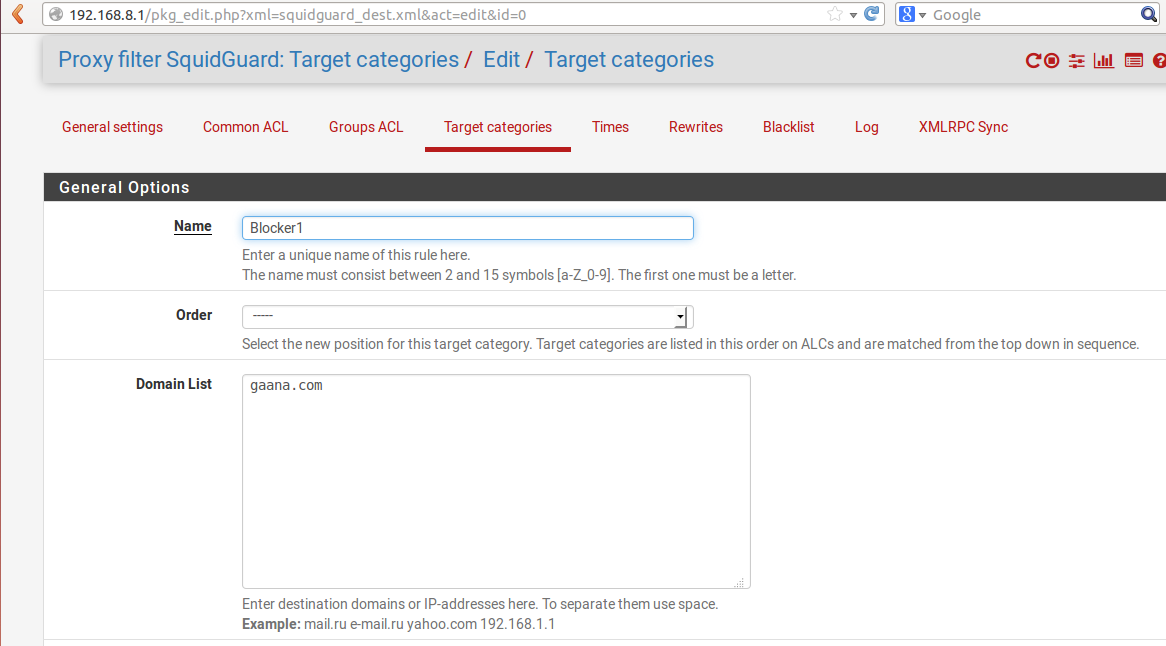
Now select Target categories in Package / Proxy filter SquidGuard: Target categories / Target categories
Type Name, select order and type domain which you want to block.
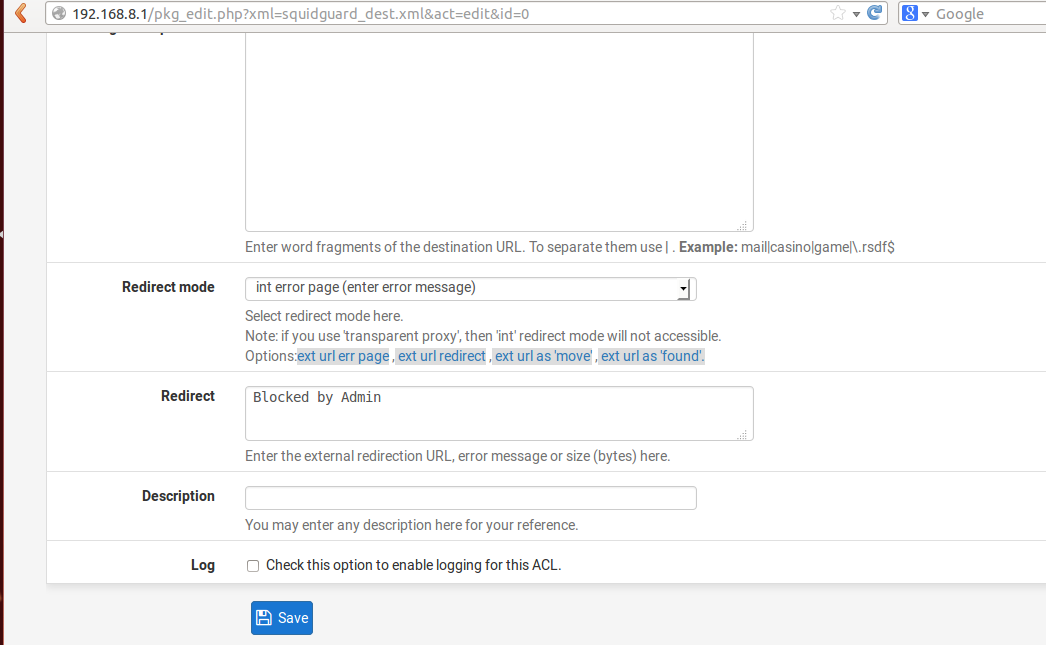
Then select redirect mode and type error message in the redirect.
And save
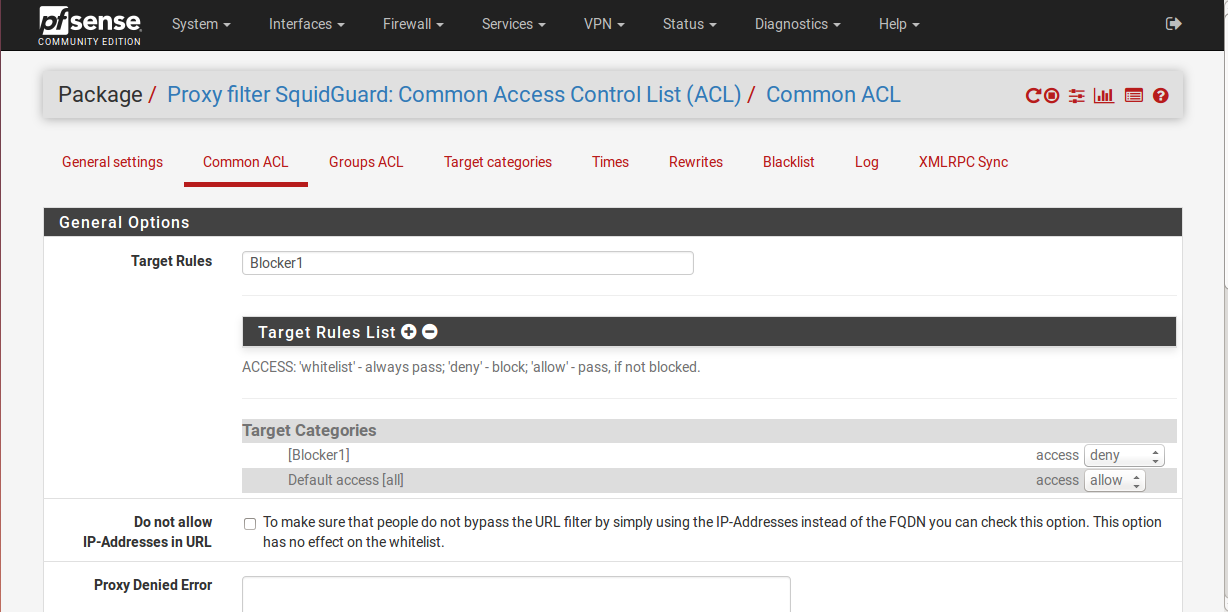
Now select Common ACL in Package / Proxy filter SquidGuard: Common Access Control List (ACL) / Common ACL.
In General Options
Type name of Target Rules and select Target Rules List
And allow/deny in Target Categories.
And save.
Now select General settings in Package / Proxy filter SquidGuard: General settings / General settings
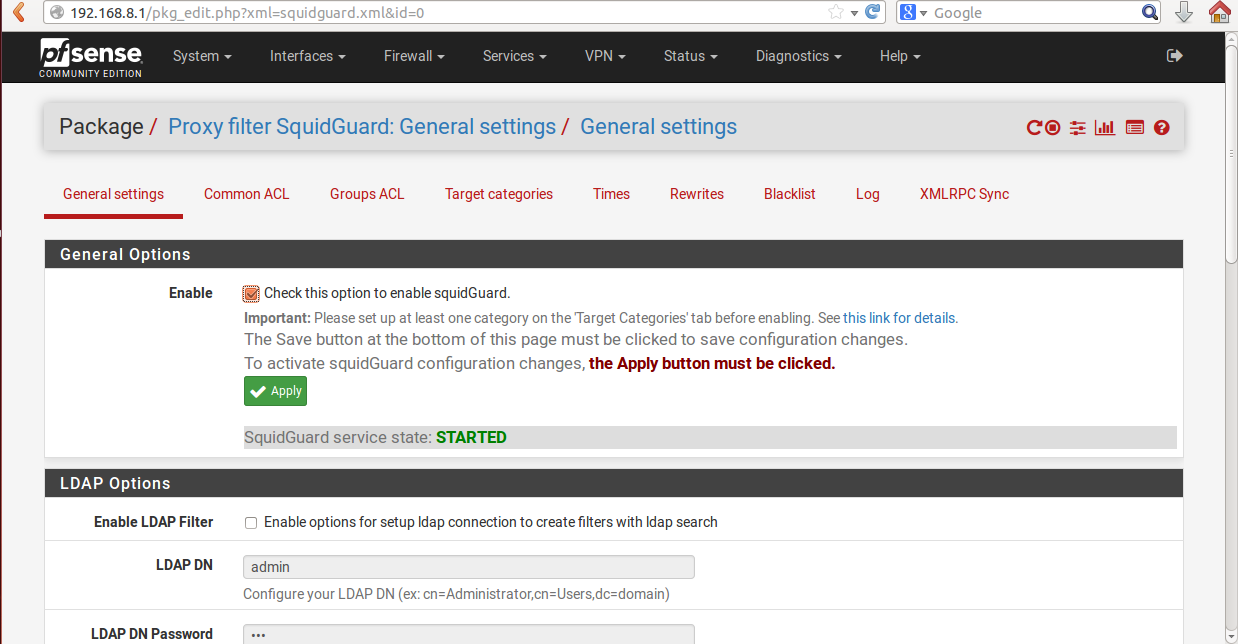
Check this option to enable squidGuard and apply.
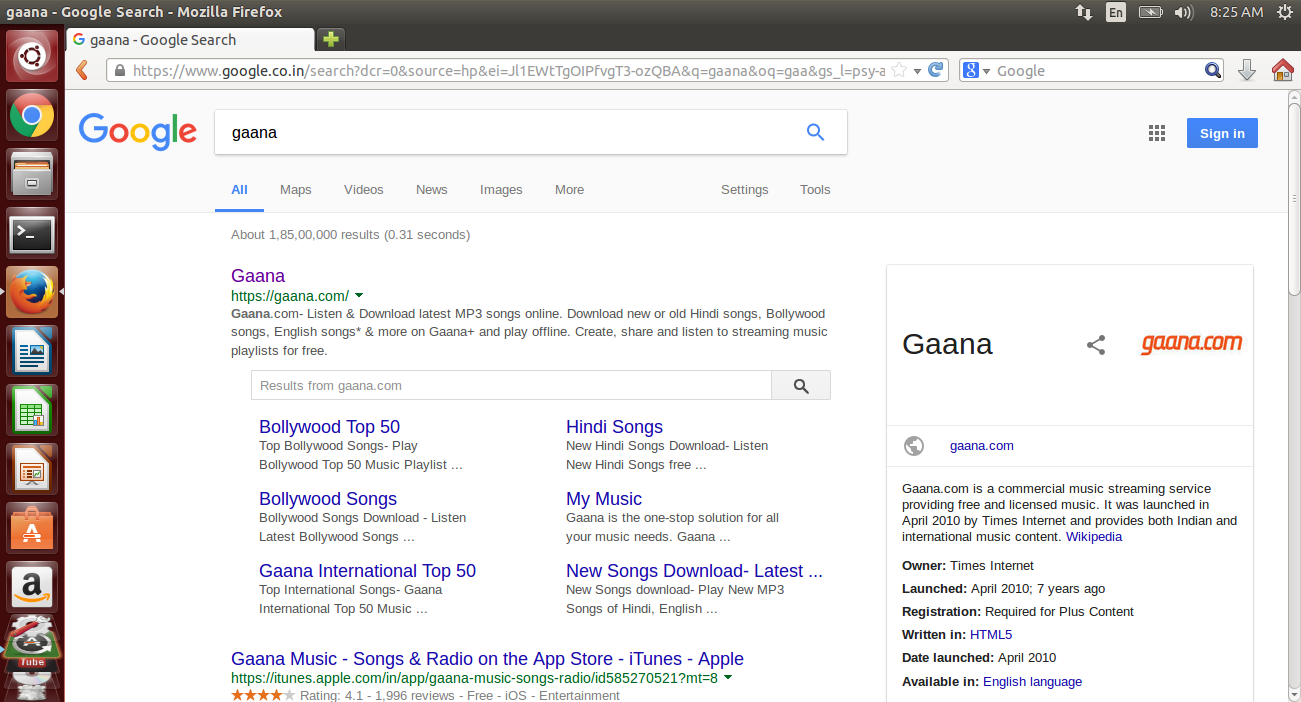
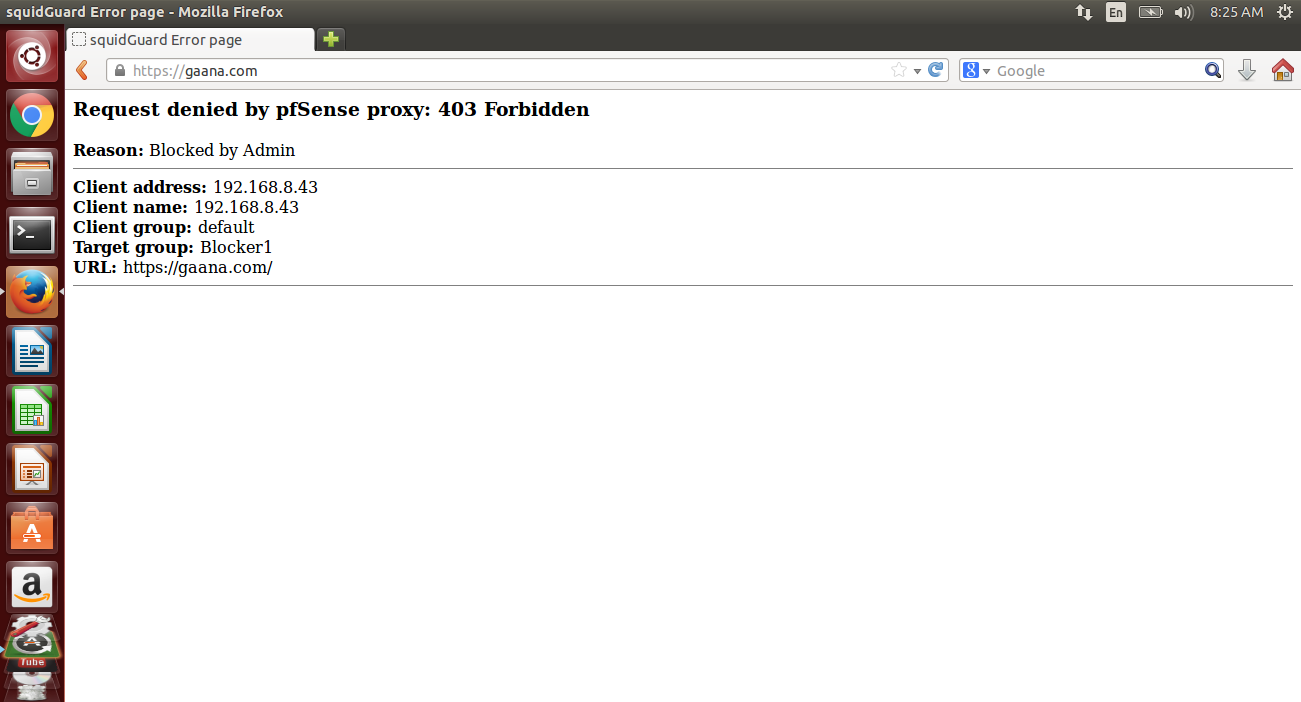
Now open the domain which you have been blocked and check it.


Cookies are important to the proper functioning of a site. To improve your experience, we use cookies to remember log-in details and provide secure log-in, collect statistics to optimize site functionality, and deliver content tailored to your interests. Click Agree and Proceed to accept cookies and go directly to the site or click on View Cookie Settings to see detailed descriptions of the types of cookies and choose whether to accept certain cookies while on the site.















About Author
Shailendra Singh Rathod
Shailendra is Network Engineer and hard-working employee in oodles Technologies. He is CCNA Certified.