The iOS App of Whatsapp To Have GIF Support
Posted By : Anirudh Bhardwaj | 09-Nov-2016
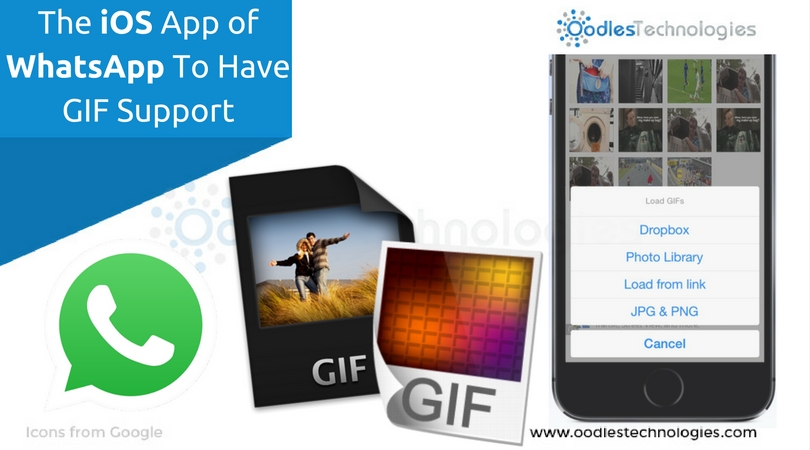
Owing to the cut-throat competition in online messaging, it’s getting hard for the messaging apps like Whatsapp and Facebook Messenger to sustain their user base. With so many messaging apps in the market, the users have become more volatile these days. The complications have arisen mainly for facebook. Stepping up into messaging through its Messenger app, Facebook first saw its users switching from Messenger to Whatsapp and now it has acquired Whatsapp for $19 bln, things seem to be pretty rough these days. A majority of Whatsapp users are now switching to Snapchat or iMessage. The iMessage features have been greatly revamped by the latest release of Apple’s mobile operating system i.e iOS 10.
Furthermore, Google has also launched a new messaging app called Allo which already getting quite popular among the masses. Clearly, Facebook don’t want to take any risk especially at this time. Seeing all this, Whatsapp has added a new feature in its iOS app which lets you send GIFs while chatting. However, this new feature in Whatsapp seems to be inspired by iMessage which enables the iPhone users to send GIFs, emojis and many other screen effects. Before moving any further, let’s first talk about this new Whatsapp feature and how you can use it.
Also read Meet Allo A Smart Messaging App By Google.
How To Send A GIF?
Good news for all the iPhone and Whatsapp users. They will now be able to send GIFs over the Whatsapp application while chatting with someone. There are two ways to do that. You can either create your own GIFs of less than six seconds through the videos in your photo gallery or you can choose GIFs from an integrated GIF search engine. The new GIF search engine in iOS version of Whatsapp is powered by Giphy. In addition to that, the users of iPhone 6s and above can also send the Live Photos as GIFs using the 3D touch features. Let’s see how it works.
Sending Video As GIF
You can send a video clip of up to six seconds as a GIF using these few steps.
-
Open a chat and tap over the Plus(+) button shown in the bottom left corner of the screen.
-
Select Photo & Video Library.
-
Choose a video of duration less than six seconds. You can also choose a long video but then you’ll have to trim that video to make it shorter than six seconds.
-
If the video you’ve chosen is of six seconds or less, it’ll automatically show you an option to convert it into gif and then send to the other person.
Using Integrated GIF Search Engine
The smart feature is already available in iMessage where you can look for a suitable GIF and send it instantly while you chat. To use this feature in Whatsapp, just follow these simple steps.
-
Open a chat and tap over the Plus(+) button in the same way as done earlier.
-
Select Photo & Library.
-
Select GIF shown in the bottom left next to a search icon.
-
It’ll take you to the Giphy search engine where you can choose any GIF that you want to send.
-
Select the GIF and tap on send. That’s it.
You can also save a GIF by starring it so that you can find it instantly under the starred bar. However, you can only star a GIF that you’ve recently sent to somebody. To star a GIF, tap and hold it for a second and tap on the star icon that appears on the corner left right above that GIF.


Cookies are important to the proper functioning of a site. To improve your experience, we use cookies to remember log-in details and provide secure log-in, collect statistics to optimize site functionality, and deliver content tailored to your interests. Click Agree and Proceed to accept cookies and go directly to the site or click on View Cookie Settings to see detailed descriptions of the types of cookies and choose whether to accept certain cookies while on the site.















About Author
Anirudh Bhardwaj
Anirudh is a Content Strategist and Marketing Specialist who possess strong analytical skills and problem solving capabilities to tackle complex project tasks. Having considerable experience in the technology industry, he produces and proofreads insightful content on next-gen technologies like AI, blockchain, ERP, big data, IoT, and immersive AR/VR technologies. In addition to formulating content strategies for successful project execution, he has got ample experience in handling WordPress/PHP-based projects (delivering from scratch with UI/UX design, content, SEO, and quality assurance). Anirudh is proficient at using popular website tools like GTmetrix, Pagespeed Insights, ahrefs, GA3/GA4, Google Search Console, ChatGPT, Jira, Trello, Postman (API testing), and many more. Talking about the professional experience, he has worked on a range of projects including Wethio Blockchain, BlocEdu, NowCast, IT Savanna, Canine Concepts UK, and more.