How to export data from Trello board to Excel
Posted By : Aditi Nahar | 31-Dec-2017
Trello is an open source
Board Menu at the
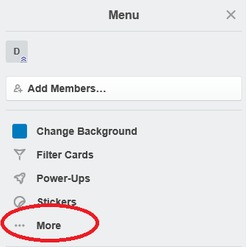
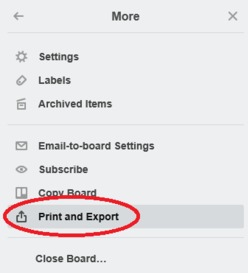
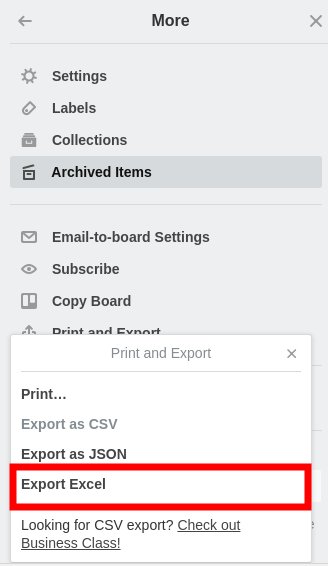
Print and Export option:
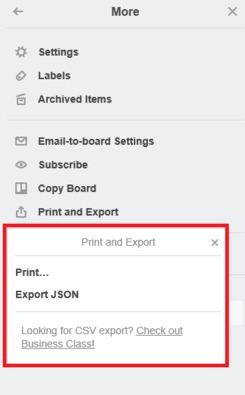
In the above pic, we have seen that only Export JSON option is available but if excel support is required then currently Trello does not has this feature in free version, only after subscribing
Step 1:
Open Chrome Web store and search
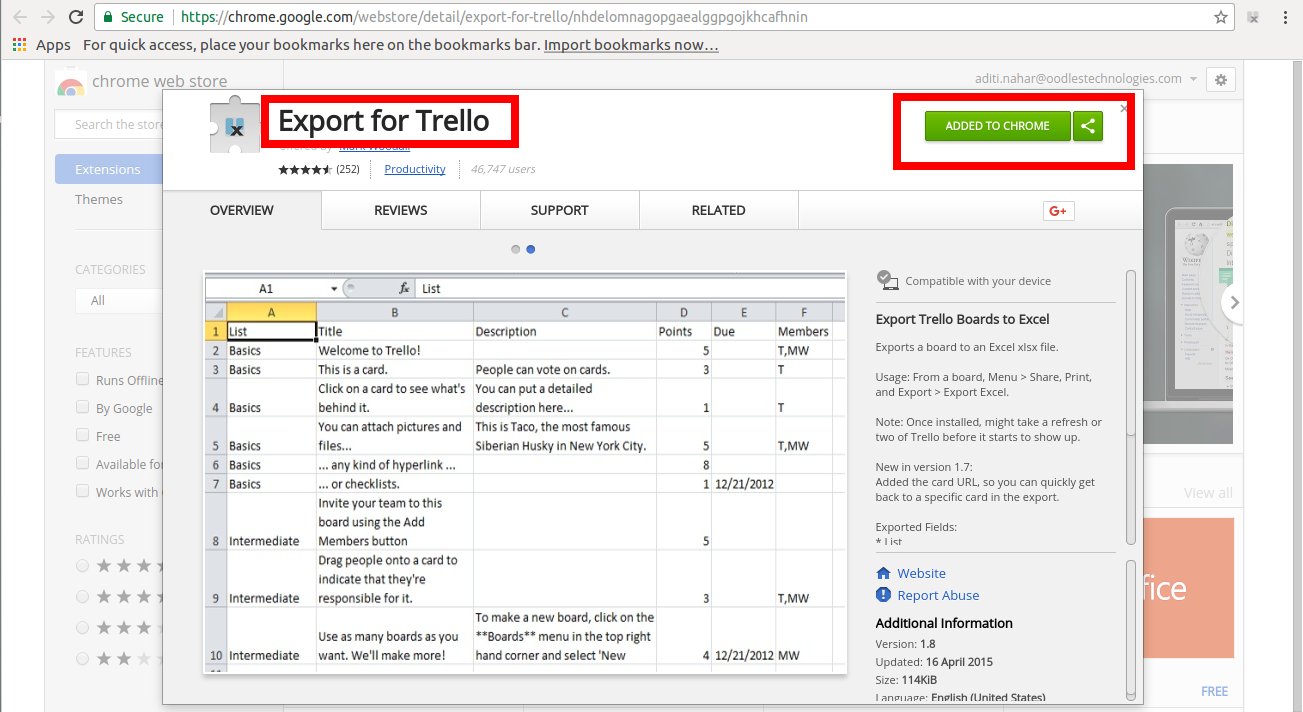
Step 2:
Click on Add to Chrome option.
Step 3:
Once the installation is complete, check for icon on chrome browser at the rightmost corner.
Step 4:
Next step is to refresh the Trello page once or twice and go to the path Board Menu > More > Print and Export. 'Export Excel' option will start appearing.
Step 5:
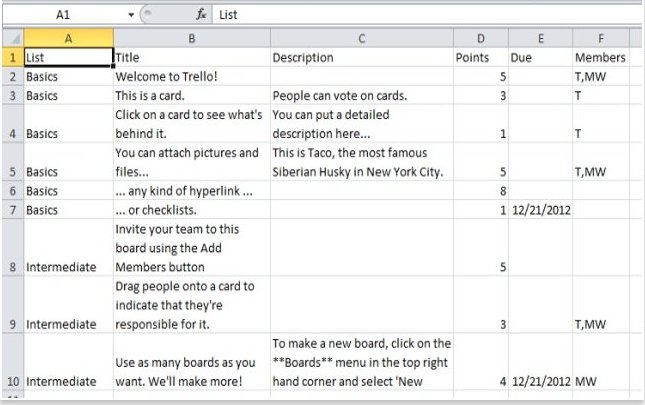
Click on the Export Excel link and check the downloaded file. All the cards present in the board will be shown as
I hope this feature will help you a lot and will definitely eliminate most of your manual task. So start using this feature today only and enjoy Trello.
Thanks!!